
What is Essential 8?
The Free Essential 8 Auditor by Extreme Networks is a user-friendly, web-based platform specifically tailored for small businesses. The auditor assesses your existing cybersecurity measures based on the Essential 8 mitigation strategies recommended by the Australian Cyber Security Centre (ACSC). These proven strategies significantly lower the risk of cyber threats and strengthen the overall security of your IT infrastructure.
Essential 8
Cybersecurity is about more than keeping your emails and internet running. It’s about protecting your business, customer data, and daily operations from cyber threats that can cause costly downtime, financial loss, and reputational damage.
That’s why we use the Essential 8 framework developed by the Australian Cyber Security Centre (ACSC). This proven cybersecurity framework helps small and medium-sized businesses identify security gaps, reduce cyber risk, improve cyber resilience, and strengthen their ability to recover from cyber incidents. While no solution can prevent every attack, the Essential 8 provides a practical foundation for better business security and data protection.
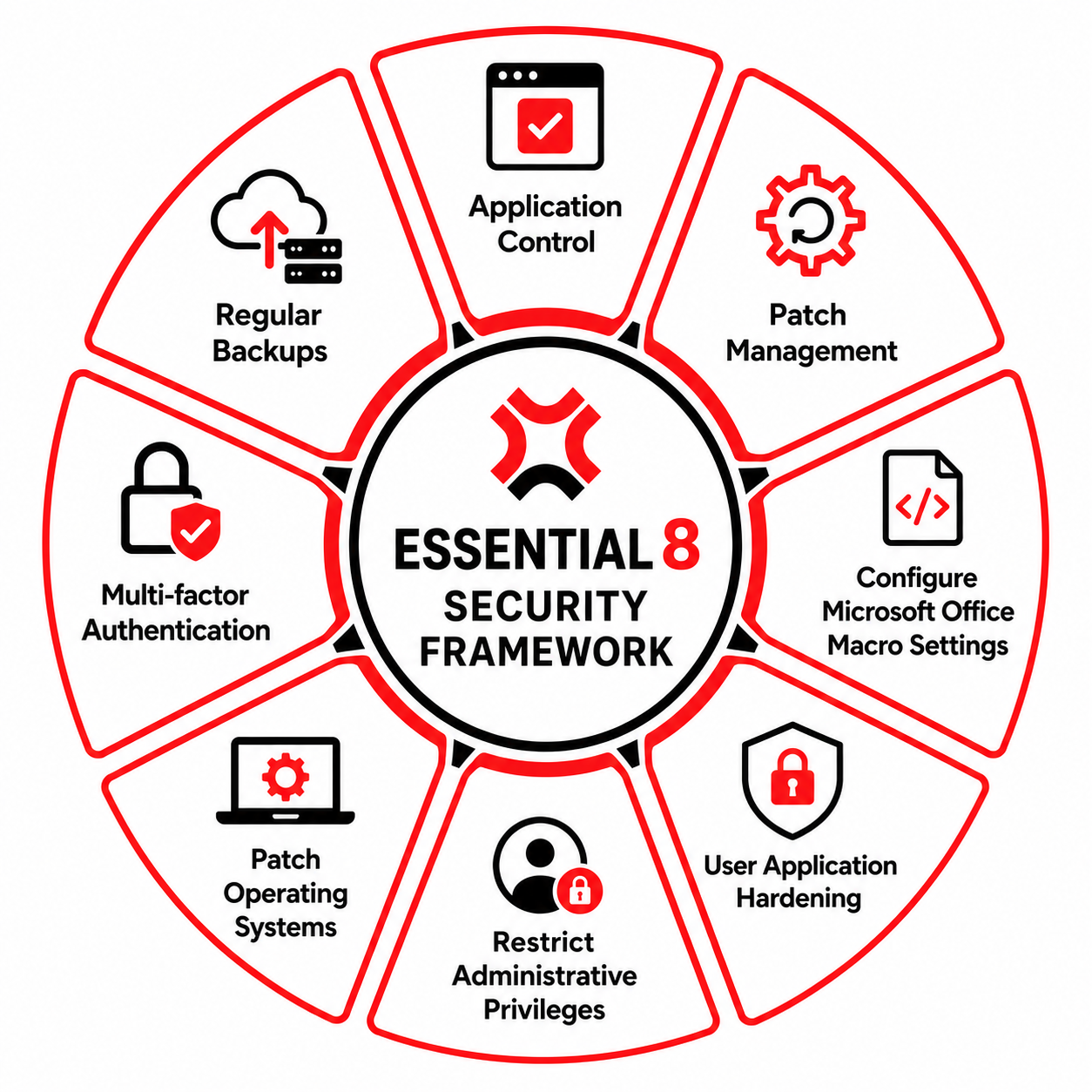
Application Whitelisting
Application control means only allowing approved software to run on your business computers. Everything else, including malware that an employee accidentally downloads, is automatically blocked before it can do any damage.
Think of it like a guest list at a venue: if the software isn’t on the list, it doesn’t get in. This is one of the most effective defences against ransomware.
Patch Applications (Keep Your Software Up to Date)
Software makers regularly discover and fix security holes in their products. “Patching” simply means installing those updates. When you delay patching, you leave a known door open for attackers.
This applies to web browsers, PDF readers, accounting software, email programs, and any other third-party tools.
Configure Microsoft Office Macro Settings
Macros are small programs embedded inside Word, Excel, and PowerPoint files. Attackers love them because they can hide malicious code in a document that looks completely normal.
The Essential 8 recommends blocking macros from the internet by default and only allowing them in files from trusted sources. Most everyday office work doesn’t require macros at all.
User Application Hardening
Many programs your team uses web browsers, and PDF readers come with features attackers can exploit. Flash Player, Java in the browser, and certain ad-display technologies can be used as entry points.
Hardening means turning off these unnecessary features and blocking web ads that could deliver malware. It’s the digital equivalent of locking windows you never open.
Restrict Administrative Privileges
An admin account is like a master key — it can install software, change settings, and access everything. If an attacker gets hold of admin credentials, the damage is dramatically worse.
Admin accounts should only be given to people who genuinely need them and should never be used for everyday tasks like reading email or browsing the web.
Patch Operating Systems
Just like applications, operating systems like Windows, macOS, or Linux also need regular security updates. Attackers actively scan the internet for machines running outdated systems with known vulnerabilities.
It is recommended applying critical OS patches within 48 hours and replacing any system no longer supported by its vendor.
Multi-Factor Authentication (MFA)
A password alone is no longer enough. MFA adds a second step when you log in, usually a code from your phone, a fingerprint, or a hardware key. Even if an attacker steals your password, they still can’t get in.
MFA should be turned on everywhere: email, cloud storage, accounting software, remote access, and any system holding sensitive data.
Regular Backups
Backups are your last line of defence. If ransomware encrypts your files, a hard drive fails, or someone deletes critical data, a recent backup means you can recover without paying a ransom.
The Essential 8 recommends backups that are tested regularly, stored separately from your main systems, and retained long enough to recover from incidents not discovered immediately.

Benefits of Adopting the Essential 8
The Free Essential 8 Auditor provides an easy-to-follow, step-by-step assessment that helps small businesses pinpoint vulnerabilities in their cybersecurity infrastructure. With its intuitive interface, businesses can efficiently evaluate their current security measures without requiring advanced technical expertise.
Stronger protection against common attacks
The eight frameworks work together to block the techniques used in the vast majority of cyber incidents including ransomware, phishing, and credential theft.
Lower financial risk
With the average small-business cybercrime report costing over $56,000, even partial implementation can save you far more than it costs to set up.
Easier insurance and compliance
Australian cyber insurers increasingly require evidence of Essential 8 alignment. Demonstrating even Maturity Level 1 can help you secure better coverage and lower premiums.
Win more contracts
Government tenders and enterprise clients now routinely ask about your Essential 8 maturity during procurement. A clear security posture opens doors.
Faster recovery from incidents
With tested backups, restricted access, and patched systems, your business can bounce back in hours instead of days or weeks.
Greater customer and staff trust
Clients want to know their data is safe. A clear commitment to a recognised security framework shows professionalism and builds long-term confidence.